Thursday, July 4, 2013

How to Replace the Battery in an iPhone 5

iFixit has posted a nice video detailing the steps necessary to replace the battery in the iPhone 5.
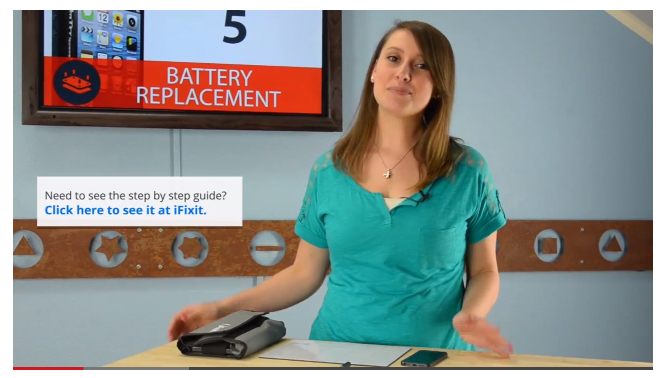
iphone 5 battery replacement

I was right in the middle of putting an awesome filter on my latest Instagram when my iPhone 5 died. Of course I was devastated, because lets face it, how else will my friends know what it looks like outside today. This is becoming a frustrating trend with my phone so I think its time for a new battery. This video will give you an overview of replacing the Battery in your iPhone 5.


More at iHash.eu

MuscleNerd Denies Rumors of a Bootrom Exploit

pwnage-head

MuscleNerd has denied rumors that a bootrom exploit has been found for the iPhone.

Earlier today, the popular hacker tweeted:

https://twitter.com/MuscleNerd/status/352399472426352642

Speculation that a bootrom exploit may have been found began after p0sixninja tweeted that he would be releasing something bigger than a jailbreak.


More at iHash.eu

Hacker P0sixninja to Release Something Bigger Than a Jailbreak

p0sixninja

Well known iPhone hacker p0sixninja has teased the upcoming release of some 'amazing things' on Twitter that are bigger than a jailbreak.
Last night he tweeted:

I got a lot of amazing things coming to you all soon. think bigger than jailbreak ;)

In March, p0sixninja revealed that he had found the exploits necessary to release a new jailbreak; however, as expected, he decided to hold those back for iOS 7 or iOS 7.1.


More at iHash.eu

I'm not a programmer!!! I told you I'm only a car dealer!!

    Tech Support: "Sir, Click Start, then Run, and type the letters C, M, and D."
    Customer: "Wait a minute, don't run off the end of the earth away from me now. I can only go so fast with this thing."
    Tech Support: "Sorry, sir. Did you click Start?"
    Customer: "Where is that start button? Oh, here is is. Now what?"
    Tech Support: "Um, did you click it?"
    Customer: "Dammit, no, do that now?"
    Tech Support: "Yes, then click on the word Run."
    Customer: "Dammit, slow down!!! Run, run, run, where the hell is run?"
    Tech Support: "Should be a the very bottom of the Start Menu that came up on the screen."
    Customer: "I already clicked Start. Click it again?"
    Tech Support: "No, it should be there in the lower left corner."
    Customer: "Hey, I found the word Run. You want that instead?"
    Tech Support: "Sure, why not? We'll see if that works. Did you click it?"
    Customer: "Yes."
    Tech Support: "Ok, type the letters C, M, and then D."
    Customer: "Slow down, dammit!! I'm not a programmer!!! I told you I'm only a car dealer!!"
    Tech Support: "Sorry, again, sir, what do you have there?"
    Customer: "Z."
    Tech Support: "No, we need 'C' like 'Charlie.'"
    Customer: "C-H-A-R--"
    Tech Support: "Not the whole word 'Charlie,' sir, just the 'C,' please."
    Customer: "If you don't want a Charlie, why tell me to type it?"
    Tech Support: "Um, what's in the box now?"
    Customer: "I'm trying to find the eraser here."
    Tech Support: "Just hit the backspace key."
    Customer: "That just moves it further to the right without typing anything."
    Tech Support: "Which backspace key did you press?"
    Customer: "The long one in the middle. I pressed it on the back side."

    Eventually, we "found" the correct backspace key and got that Z replaced with a C.
    Tech Support: "Now that we just have a 'C' there, type an 'M,' like 'Mary,' but just the 'M,' ok?"
    Customer: "M-O-K."
    Tech Support: "Remember that backspace key?"
    Customer: "Yes."
    Tech Support: "Press it twice."
    Customer: "All right, but it took off the 'O' and 'K' you wanted."
    Tech Support: "Never mind that, I'll live. Now type a 'D,' just the letter D."
    Customer: "D. Now what?"
    Tech Support: "Now press the enter key."
    Customer: "E-N-T-E-R."
    Tech Support: "Is there anyone else around the lot that is maybe a little more familiar with computers than you are?"
    Customer: "Well, my wife uses one at her work and might be a little more familiar. She comes in in an hour. You want to talk to her?"
    Tech Support: "Yes, please."

Tuesday, July 2, 2013

my wife Kitty


This happened to me several years ago. The phone rang and I picked it up. It was my wife, Kitty, on the other end. She informed me that she was having problems printing out a report on the computer. The system was locked up and would not respond to the keyboard or the mouse.

I told her reboot the system. She did. I heard the printer go through the startup cycle. I asked her to describe what the computer was doing.
Her: "The computer is on, the monitor light is on, and the printer is on!"
Me: "What is on the screen?"
Her: "A box with the instruction: install Kickstart 2.0x."
Me: "Kickstart? When did we get an Amiga?"
Her: "About six months ago? What's the problem?"
Me: "We have an Atari, and we've had it for 18 months."
Her: "What???" (high pitched squeak) "Sorry, wrong number!" (click)